Astrophotography
How to Shoot Star Trails With Just a Camera and Tripod
Learn how to photograph star trails with a DSLR or mirrorless camera and a tripod. Settings, stacking method, and free software explained.
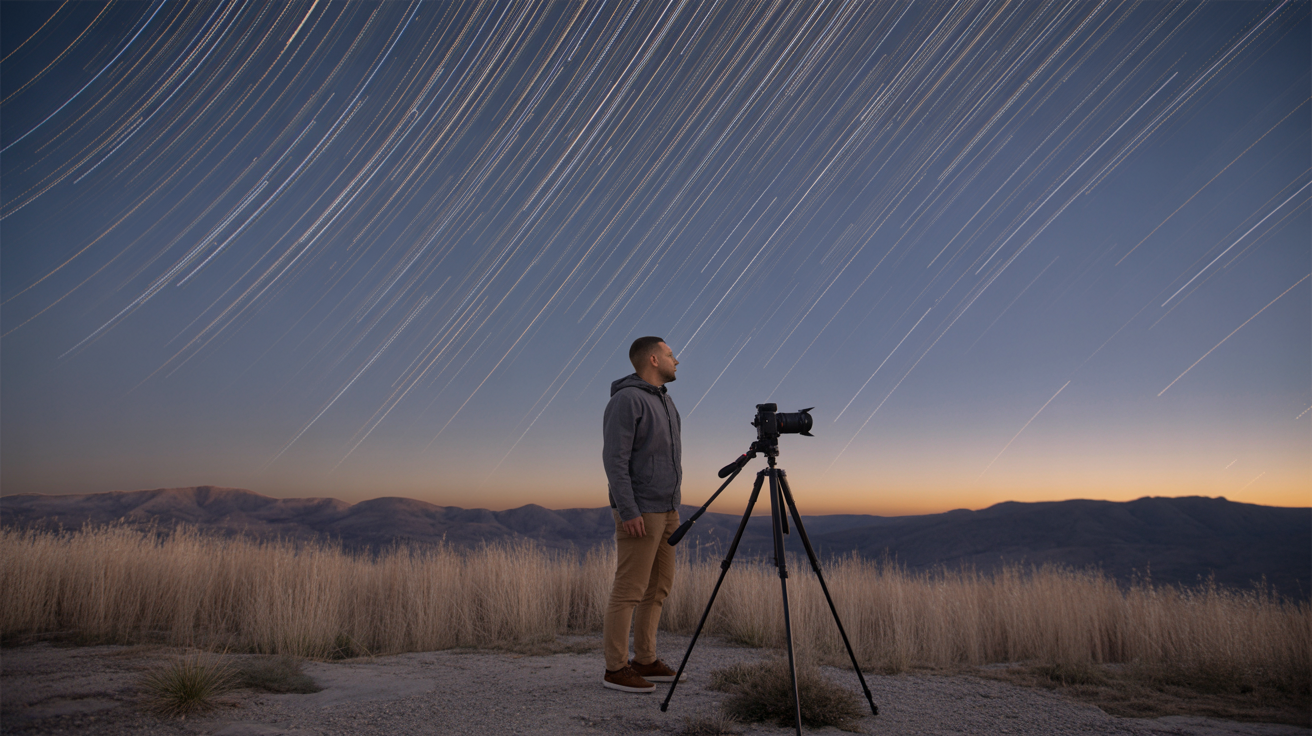
Set up a camera on a tripod under a clear sky, leave the shutter open long enough, and the Earth's rotation does the work for you. Every star draws an arc across the frame. The technique is one of the most accessible things in astrophotography: no tracking mount, no specialist telescope, no complicated post-processing pipeline. What you do need is a basic understanding of two competing approaches, the right settings, and enough patience to stay out in the cold for an hour or two.
Two Ways to Create Star Trails
Before touching a single dial, decide which method you'll use. They produce similar results but handle noise very differently.
Single very long exposure. Open the shutter for 30 minutes to two hours on Bulb mode. Simple in concept, but heat builds up in the sensor over that time and creates ugly hot pixels and color noise. On older cameras especially, the result can look muddy. You also lose everything if clouds roll in partway through.
Stacking many short exposures. Shoot a sequence of 30-second frames back to back using an intervalometer (or the camera's built-in interval timer), then merge them in free software like StarStaX. This is the better modern method. Noise stays low because no single frame accumulates much heat, you can stop early if needed and still have usable files, and the final stack looks cleaner than almost any single-exposure result on the same camera.
Most working astrophotographers use the stacking approach. That's what this guide focuses on, with single-exposure notes where relevant.
Gear You Actually Need
- Any camera with manual mode and a Bulb setting (DSLR, mirrorless, or even some advanced compacts)
- A sturdy tripod, wind wobble or footsteps nearby will blur trails into smears
- An intervalometer or the camera's built-in interval timer; some cameras call it "interval shooting"
- A wide-angle lens, f/2.8 to f/4 maximum aperture; kit 18-55mm lenses work fine opened wide
- A fully charged battery (or two); long sessions drain them fast
- A lens cloth or dew heater if shooting in humid conditions, dew on the front element ends the session
That's it. You do not need a remote shutter release separate from the intervalometer, a telescope, or any tracking equipment. If you're new to the hobby, the beginner's guide to astrophotography on a budget covers gear decisions in more depth.
Choosing Your Location and Framing
Light pollution is the main enemy of star trail photography. Drive at least 30 minutes from a city center if you can; even modest separation helps. Check a light pollution map (Light Pollution Map or Clear Outside) before committing to a site.
Avoid nights with a bright Moon, especially in the first or last quarter and above. A full Moon will wash out faint stars and tint your trails orange.
Pointing toward Polaris (the North Star, in the handle of the Little Dipper) gives you circular, concentric arcs. The closer you put Polaris to center, the tighter the circles. Pointing east or west instead gives longer, straighter streaks that sweep across the frame more dramatically. Neither is wrong; it's an artistic choice. Include a foreground element, a barn, a tree line, a rock formation, to give the image a sense of place. Flat black sky from edge to edge gets boring.
Star Trail Camera Settings Step by Step
Manual focus before anything else. Autofocus fails in the dark. Switch the lens to MF, then use live view at maximum magnification and focus on the brightest star you can find, or on a distant artificial light. You want the pinpoints as small as possible. Check focus every time you move the camera.
Then dial in these settings:
- Mode: Manual (M)
- Aperture: f/2.8 to f/4, wider (lower number) gathers more light; f/5.6 and up will leave you with dim trails
- Shutter speed: 25–30 seconds per frame for the stacking method; Bulb for a single long exposure
- ISO: 400–800, high enough to record stars clearly, low enough to keep noise manageable; test with a single shot before committing to a full session
- White balance: Daylight or Tungsten, set manually rather than Auto so color stays consistent across hundreds of frames
- File format: RAW, you'll want the latitude to correct exposure and white balance in post
- Long exposure noise reduction: OFF, this takes a matching dark frame after every shot, which creates gaps in your trails; do noise reduction in software instead
- Mirror lock-up (DSLR): optional, useful if your tripod is lightweight and vibration-prone
For the stacking sequence: set the intervalometer to fire every 31 seconds (1 second gap between frames to write to the card) and let it run for 60 to 90 minutes. That's roughly 115 to 175 frames. More frames mean longer, more complete arcs.
If you're shooting a single long exposure instead, set ISO 200–400 (lower, because heat noise accumulates), aperture f/2.8–f/4, and let Bulb run with a locking remote shutter release. The camera settings guide for night sky photography explains the tradeoffs in more detail if you want to understand the why behind each number.
Managing Battery and Dew
Long sessions eat batteries. A mirrorless camera can drain a battery in 45–60 minutes of continuous shooting; a DSLR typically lasts longer. Bring a spare and swap it fast if needed, the gap shows as a break in the trails, but a brief one is easy to hide in the stack.
Dew is a sneaky problem. When the temperature drops, moisture condenses on the front element and blurs everything gradually. You often don't notice until you look at the last 30 frames and realize they're all soft. A dew heater strap around the lens barrel solves this completely. If you don't have one, a hand warmer in a rubber band works in a pinch. Check the element with a flashlight every 20 minutes.
Stacking and Processing in StarStaX
StarStaX is free, runs on Mac, Windows, and Linux, and does exactly one thing well: blending a sequence of exposures into a star trail image. Download it from the developer's site and follow these steps.
- Develop your RAW files first. Open them in Lightroom, darktable, or any RAW editor. Apply a consistent preset (matching white balance, slight noise reduction, no aggressive sharpening), then export as full-size JPEGs or TIFFs. Do not vary the edits between frames or the stack will show banding.
- Load all frames into StarStaX. File > Open Image Files, select everything.
- Choose "Lighten" blending mode. This keeps the brightest pixel from any frame at each position, which is exactly how trails accumulate.
- Enable "Gap Filling" if you had brief interruptions (cloud, battery swap). It interpolates across gaps.
- Run the stack and export. The result is a single image with every trail from the full sequence.
From there, take it back into your RAW editor for final color grading and a curves adjustment to lift the foreground slightly if needed. Star trail photography rewards simple, clean edits over heavy processing.
Frequently Asked Questions
How long do I need to shoot to get visible star trails?
Around 45 minutes produces clearly curved arcs toward Polaris. An hour gives you a satisfying sweep. Two hours or more creates dramatic full circles if you're pointed at the north celestial pole. You can see short trails in as little as 20 minutes, but they look more like elongated dots than arcs at that length.
Do I need an intervalometer, or can I use the camera's built-in timer?
Many cameras now include a built-in interval timer in the menu (Canon calls it "Interval Timer Shooting," Nikon calls it "Interval Timer Photography," Sony uses "Interval Shooting"). These work fine and remove the need for an external intervalometer entirely. Check your manual; it may already be there.
Can I photograph star trails with a phone?
Phones with manual or "Pro" modes can shoot long exposures, but most max out at 30 seconds and produce noisier results than a dedicated camera sensor. Stacking phone images in an app like NightCap (iOS) or ProCam is possible. Results are modest but workable on a very dark night. The guide to photographing the moon with a phone covers the limits and possibilities of phone astrophotography in general.
Why are my star trails blurry or wobbly?
Almost always a tripod stability issue. Lock the center column if you extended it, shield the tripod from wind, and don't touch the camera once shooting starts. Footsteps on soft ground can transfer vibration. Also check that the lens is actually focused at infinity and not slightly off, live view at maximum zoom on a bright star before you start is worth the extra two minutes.
Does the Moon ruin star trail photos?
A thin crescent Moon low on the horizon adds pleasant ambient light to a foreground. A half Moon or brighter will overexpose the sky, reduce star count significantly, and tint everything orange or yellow. For star trail photography specifically, new Moon nights or nights when the Moon sets before your session starts are the best conditions.