Astrophotography
How to Stack Astrophotos: A Beginner's Workflow
Learn how to stack astrophotography images to reduce noise and reveal faint detail. Covers calibration frames, DeepSkyStacker, and a clear beginner workflow.
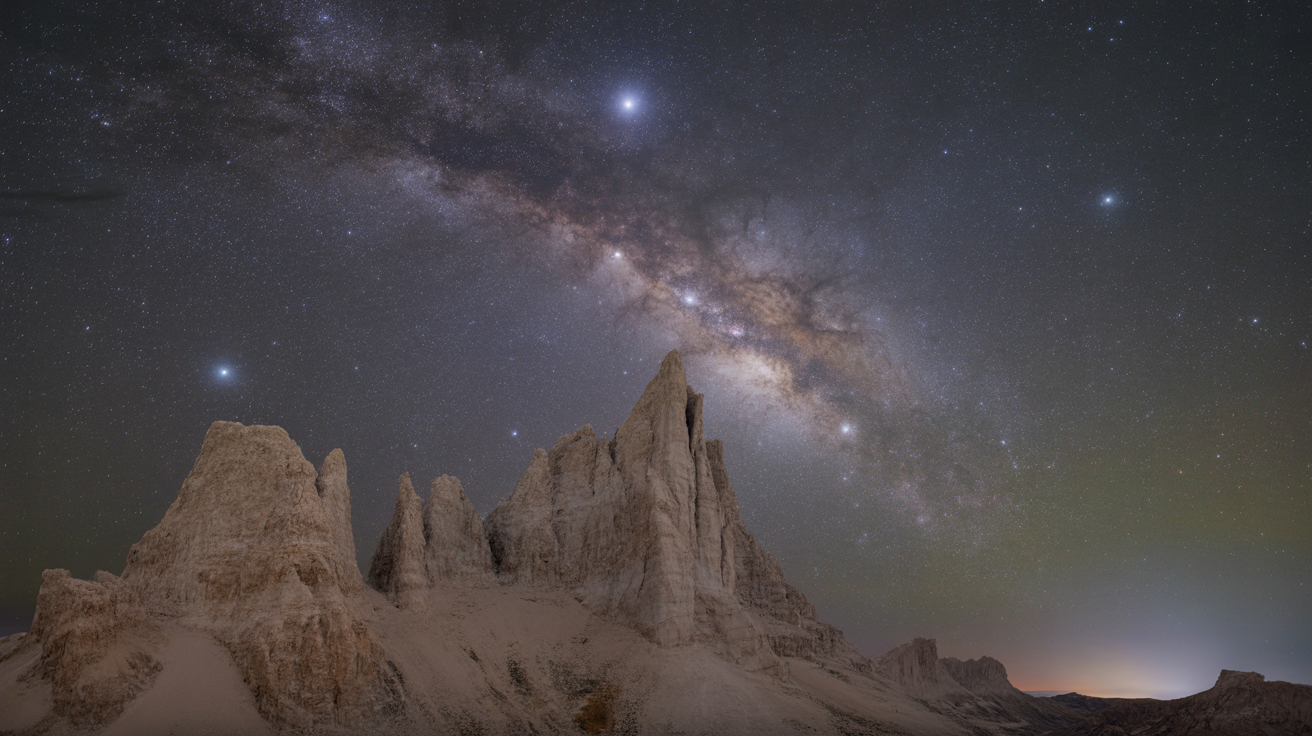
Stacking multiple exposures of the same target is the single biggest improvement you can make to a beginner astrophoto. One frame shows a noisy, grainy result; thirty frames stacked together reveals structure you simply cannot see any other way.
At a Glance
- Stacking works because signal (light from your target) is consistent frame to frame while noise is random, so averaging many frames raises the signal-to-noise ratio without adding exposure time to any single shot.
- Four frame types matter: lights (your actual data), darks (thermal noise), flats (vignetting and dust), and bias (sensor readout pattern). You rarely need all four every session.
- DeepSkyStacker is the easiest free entry point on Windows; Siril is more capable and cross-platform once you're ready for more control.
- Expect real, visible structure to start appearing around 20 to 30 stacked frames for typical beginner targets, with diminishing but real returns past 60.
- A stacked image looks flat and dark straight out of the software; stretching the histogram afterward is what actually reveals the target.
- You don't need a tracking mount to benefit. Stacking many short, untracked exposures still raises SNR, it just takes more frames to get there.
Why Stacking Improves Your Images
Every photograph you take contains two things: signal (the actual light from the nebula or galaxy) and noise (random, unwanted variation in pixel brightness). In a single exposure the noise can easily overwhelm faint signal.
When you stack many frames, the signal is consistent from frame to frame because the same photons are hitting the same part of the sensor each time. Noise, by contrast, is random. When you average random values together, they cancel each other out. The result: signal stays strong while noise shrinks. This relationship is called the signal-to-noise ratio, or SNR, and stacking is how you raise it. As a rule of thumb, SNR improves with the square root of the number of frames, so going from 10 frames to 40 frames (four times as many) roughly doubles your SNR, not quadruples it. That's why the biggest visible jump happens early, and why doubling an already-large stack from 100 to 200 frames gives a smaller improvement than doubling a small stack from 10 to 20.
In practical terms:
- 1 frame: grainy, little colour, faint nebulosity invisible
- 10 frames stacked: noticeably smoother, some colour and structure visible
- 30 frames stacked: real detail starts to emerge, background sky becomes uniform
- 60+ frames: fine structure, gradients, and faint outer regions become clear
You do not need an expensive tracker or a long focal-length scope to benefit from this. A DSLR on a simple star tracker or even a fixed tripod shooting wide-angle can produce respectable stacked results. If you are just starting out with gear choices, see our guide to astrophotography on a budget.
The Four Frame Types and What Each Does
Image stacking is not just about combining your light frames. Calibration frames correct for imperfections in your camera and optics. You do not need all four types every time, but understanding them lets you decide when each is worth the effort.
Light Frames
These are your actual exposures of the target. Everything else exists to improve them. Shoot as many as you can manage in a session, at a consistent ISO and shutter speed. A common beginner approach for a tracked setup: ISO 800 to 1600, 60 to 120 seconds per frame, 20 to 40 frames minimum.
Dark Frames
Darks capture thermal noise from your camera sensor. You shoot them with the lens cap on, at exactly the same ISO, shutter speed, and sensor temperature as your lights. The stacking software subtracts the dark pattern from each light frame before combining them.
If your nights are cold (below about 10 degrees C), darks matter less because cooling reduces thermal noise naturally. In warm weather they make a clear difference. A practical habit: shoot your darks at the end of the session, with the same equipment still attached and still at ambient temperature, rather than waiting until you're back inside where the sensor has already warmed up.
Flat Frames
Flats correct for two problems: vignetting (the darker corners most lenses produce) and dust spots on your sensor or filters. You take them by pointing your camera at an evenly lit surface, usually a white panel or a cloudy daytime sky, at the same lens position and aperture you used for your lights. Exposure should land roughly in the middle of the histogram.
Flats are one of the highest-value calibration frames for untracked wide-angle work because vignetting is usually severe at wide apertures. Unlike darks, flats must be reshot any time you change focus, rotate the camera, or adjust the aperture, since they're capturing the exact optical path at that specific configuration.
Bias Frames
Bias frames capture the baseline readout pattern of your sensor at zero exposure time. They are very short exposures taken with the lens cap on. Many stacking programs can generate a synthetic bias from your darks, so you can skip dedicated bias capture until you want to fine-tune results.
Free Software Options: DeepSkyStacker and Siril
Two programs cover most beginner needs without cost.
DeepSkyStacker (Windows)
DeepSkyStacker, often abbreviated DSS, is the traditional entry point for beginners. It has a straightforward interface, handles most common camera raw formats, and automates registration (aligning the frames) and stacking in a single process. The output is a 16-bit TIFF ready for further processing in software like GIMP or PixInsight.
For a basic DeepSkyStacker tutorial:
- Open DSS and click Open picture files to load your light frames.
- Use Dark files, Flat files, and Offset/Bias files to load calibration frames if you have them.
- Click Check all to queue everything, then Register checked pictures. DSS aligns all frames automatically.
- Click Stack checked pictures. In the stacking parameters dialog, Kappa-Sigma Clipping is a reliable rejection method for most beginners. Leave kappa at the default of 2.0.
- Save the output TIFF when DSS finishes.
DSS is available free at deepskystacker.free.fr.
Siril (Windows, Mac, Linux)
Siril is more capable than DSS and works on all major platforms. It has a steeper learning curve because it uses a scripting system, but the built-in scripts for DSLR or CCD processing handle the calibration and stacking steps automatically once you point them at your folders of frames. Siril's own documentation describes its core stacking function as improving signal-to-noise ratio by combining many registered images with outlier rejection, the same principle DSS uses under a different interface.
Siril is the better long-term tool if you want to get serious, but DSS is perfectly fine for your first dozen sessions.
A Step-by-Step Beginner Workflow
Here is a concrete process you can follow start to finish.
Before the session:
- Decide on your ISO and shutter length and write them down. You will need to match them for darks.
- Bring a white panel, phone screen at full brightness, or a T-shirt stretched over the lens for flats.
At the telescope:
- Shoot your light frames. Keep them in a folder called
lights. - With the lens cap on, shoot 15 to 20 darks at the same ISO and shutter speed. Folder:
darks. - Take 20 to 30 flat frames against your even light source at the same aperture and lens position. Shutter speed will be different. Folder:
flats.
At the computer (using DeepSkyStacker):
- Load lights, darks, and flats into their respective slots in DSS.
- Check all frames and run Register checked pictures. Look at the star alignment preview to confirm frames registered correctly. Reject any frame where the alignment score is far below average.
- Stack with Kappa-Sigma Clipping at kappa 2.0, iterations 5.
- Save output as a 32-bit TIFF for maximum editing headroom.
After stacking:
The raw stacked TIFF will look dark and flat. This is normal. You still need to stretch the histogram in GIMP, Photoshop, or Siril to bring out the detail. The stacked image contains the data; stretching is how you make it visible.
A simple stretch in GIMP: use Colors > Levels, drag the midpoint slider left until the nebula or galaxy becomes visible. Do it gradually to avoid blowing out the brighter core. A common beginner mistake is stretching too aggressively in one pass; two or three gentler passes, checking the histogram between each, preserves more of the faint outer detail than one heavy-handed drag.
For moon photography the workflow is simpler and stacking less critical, but the same SNR principle applies. See how to photograph the Moon even with a phone for that approach. And if you started your astrophotography journey with star trails, note that star trail photography uses a stacking technique too, but the goal is the opposite: you want to add the frames rather than average them to preserve the continuous arc.
Realistic Expectations for Your First Stack
A few things to know before you sit down with your first batch of frames:
| Frames stacked | Typical result |
|---|---|
| 5 to 10 | Slight noise reduction, mostly useful to confirm the workflow works |
| 20 to 30 | Clear improvement over a single frame, soft structure visible in bright nebulae |
| 40 to 60 | Usable result for most targets from a reasonably dark site |
| 80 to 120+ | Necessary for faint galaxies or targets from light-polluted skies |
Registration can fail on very short exposures where stars are faint. If DSS reports low star counts during registration, try increasing your exposure time or ISO slightly on the next session.
Worked Example: Total Integration Time
It helps to think in terms of total integration time (frame length multiplied by frame count) rather than just "how many frames." Within one setup, stacking N frames improves your SNR over a single frame of that same length by a factor of roughly the square root of N, so going from 10 frames to 40 (four times as many) roughly doubles SNR rather than quadrupling it. Here's how a few common approaches compare for the same target:
| Setup | Frame length | Frame count | Total integration | SNR gain over 1 frame of that length |
|---|---|---|---|---|
| Fixed tripod, untracked | 5 sec | 200 | 1,000 sec (~17 min) | ~14x (√200) |
| Basic star tracker | 60 sec | 40 | 2,400 sec (40 min) | ~6x (√40) |
| Tracked with guiding | 120 sec | 60 | 7,200 sec (2 hrs) | ~8x (√60) |
| Tracked, multi-night | 180 sec | 200 | 36,000 sec (10 hrs) | ~14x (√200) |
Two things stand out. First, more frames always helps, but with diminishing returns, doubling your frame count never doubles your SNR. Second, longer individual frames matter too: each 120-second frame already starts with a better SNR than a 5-second frame before any stacking happens, because read noise (a small fixed cost per exposure) is a smaller fraction of the total signal in a longer frame. That's why a tracked setup with fewer, longer subs typically beats an untracked setup with many short ones for the same total time under the stars, even when the stacking math above looks similar.
Frequently Asked Questions
Do I need a tracking mount to stack images?
No, but your maximum useful exposure per frame without tracking is limited to a few seconds before stars trail. With shorter exposures you will need more frames to achieve the same total integration time. Stacking 200 frames of 5 seconds each is perfectly valid and gives you 1000 seconds of total exposure.
How many darks, flats, and bias frames do I actually need?
A good rule of thumb: 20 calibration frames of each type is enough for most beginner use. More is always better for flats and darks, but the returns diminish past 30 to 40. Bias frames can usually be skipped entirely at first.
Can I mix exposures of different lengths in one stack?
It is possible in some software but not recommended for beginners. Stick to a consistent shutter length per session for clean results.
Why does my stacked image look worse than a single frame?
The most common cause is poor registration. Check that your star alignment scores in DSS are consistent. Very short exposures with few stars in frame register badly. Another cause is mixing frames taken at different focus settings or after the camera bumped.
Is DeepSkyStacker still worth using, or should I go straight to Siril?
DSS is reliable and much easier to learn. Start there, get a handful of successful stacks under your belt, then move to Siril when you want more control over the calibration process or you are working on a Mac or Linux machine.
Should I delete my individual light frames after stacking?
Not right away. Keep the originals until you're confident in your final processed image, and ideally longer than that. If you later get better calibration frames, learn a new processing technique, or want to add more integration time to the same target on a future clear night, you'll want the original light frames to re-stack rather than starting over from scratch.